
In the browser
The server comes with a website: open its address, log in, and play. It is deliberately simple. There is no chat, rating or clock.
Logging in
Use the username and password of your account on that server. If the server allows it, the login page also offers Create an account; otherwise an administrator makes accounts (see Accounts).
The pages
| Page | What is on it |
|---|---|
| Play | Your games in progress as small boards, the ones where it is your move first. Your pending challenges, and a form to challenge someone by name. |
| Game | The board, the moves so far, and the game buttons. |
| Watch | Every game in progress on the server, as live boards, and the latest results. Open one to follow it. |
| Profile | Click any player’s name: their games, your record against them, and a button to challenge them. |
| Account | Your preferences, password, logins and api tokens. |
| Admin | Administrators only. See Accounts. |
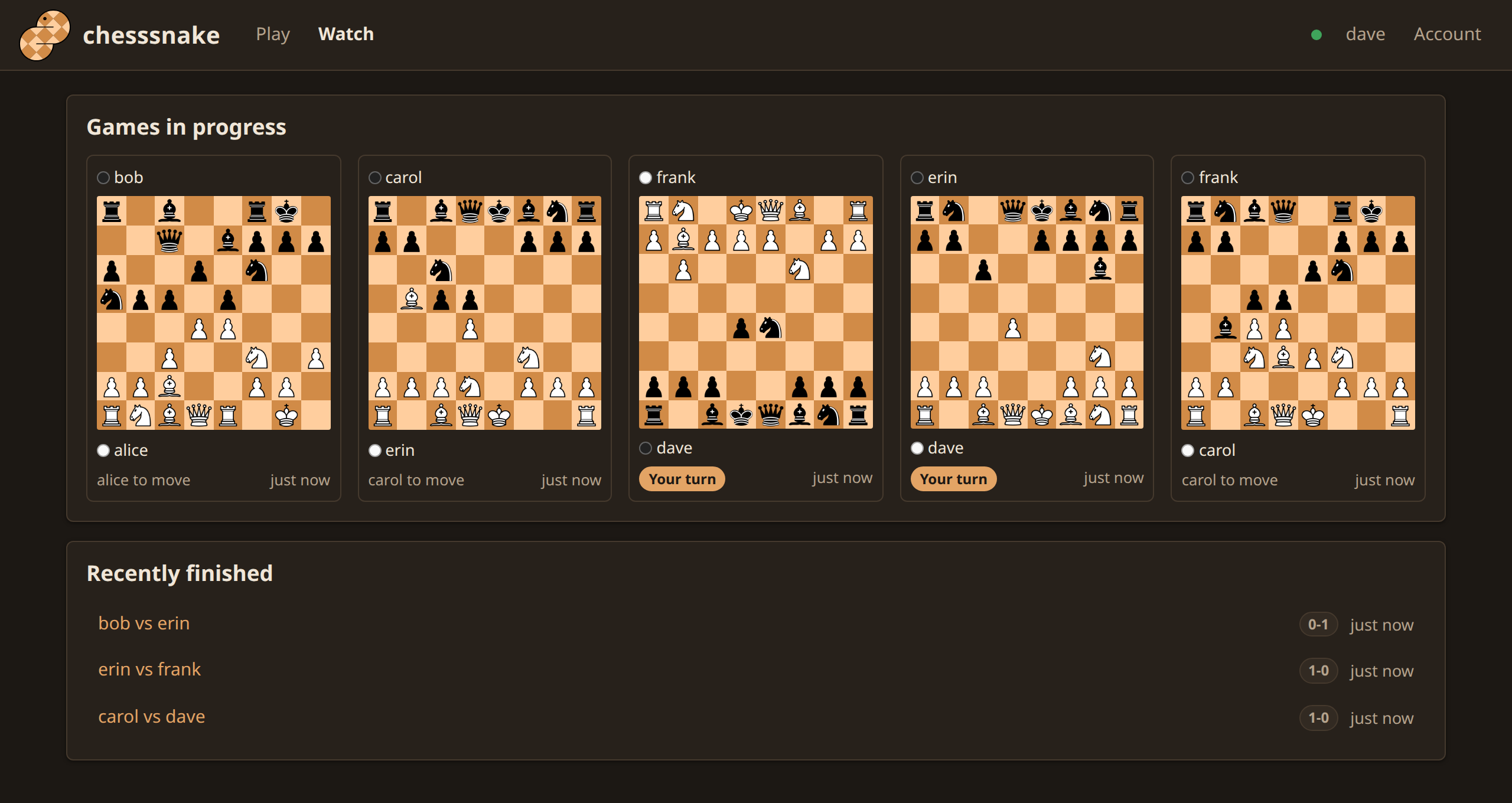
The site follows your system’s light or dark setting.
Playing a game
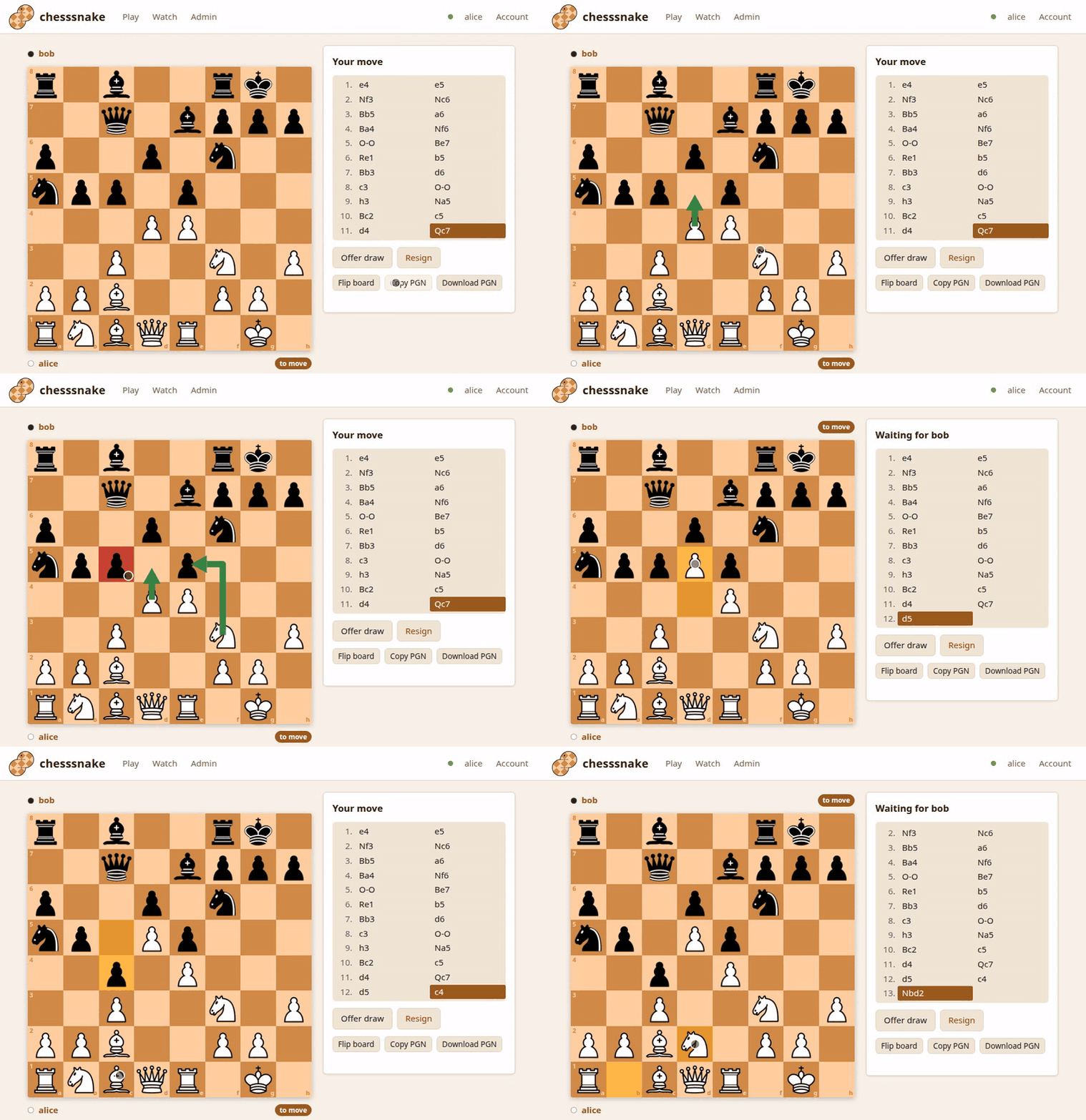
- Move by clicking a piece and then a square, or by dragging. The squares the piece can go to are marked. Castle by moving the king two squares, or by dropping it on its rook.
- Promotion asks which piece you want, unless you turn on auto-queen.
- Offer draw on your own turn; your opponent gets Accept draw and Decline draw. Resign at any time.
- Rematch, once the game is over, challenges your opponent with the colours swapped. If they offered first, the button is Accept rematch.
- Flip board, Copy PGN and Download PGN are under the move list.
Anyone logged in can watch any game. A spectator sees the same page without the game buttons.
Marking the board
Draw on the board to think, as on other chess sites. Marks are yours alone: nothing is sent to your opponent, and spectators can mark too.
| Do this | To get |
|---|---|
| Right-click a square | a highlighted square |
| Right-drag from one square to another | an arrow (a knight’s move bends into an L) |
| Middle-click a square | a ring |
| Hold Ctrl, Alt or both while marking | a second, third or fourth colour |
| Make the same mark again | that mark removed |
| Left-click the board | every mark cleared |
Marks need a mouse, so they are not available on touch screens.
Your account
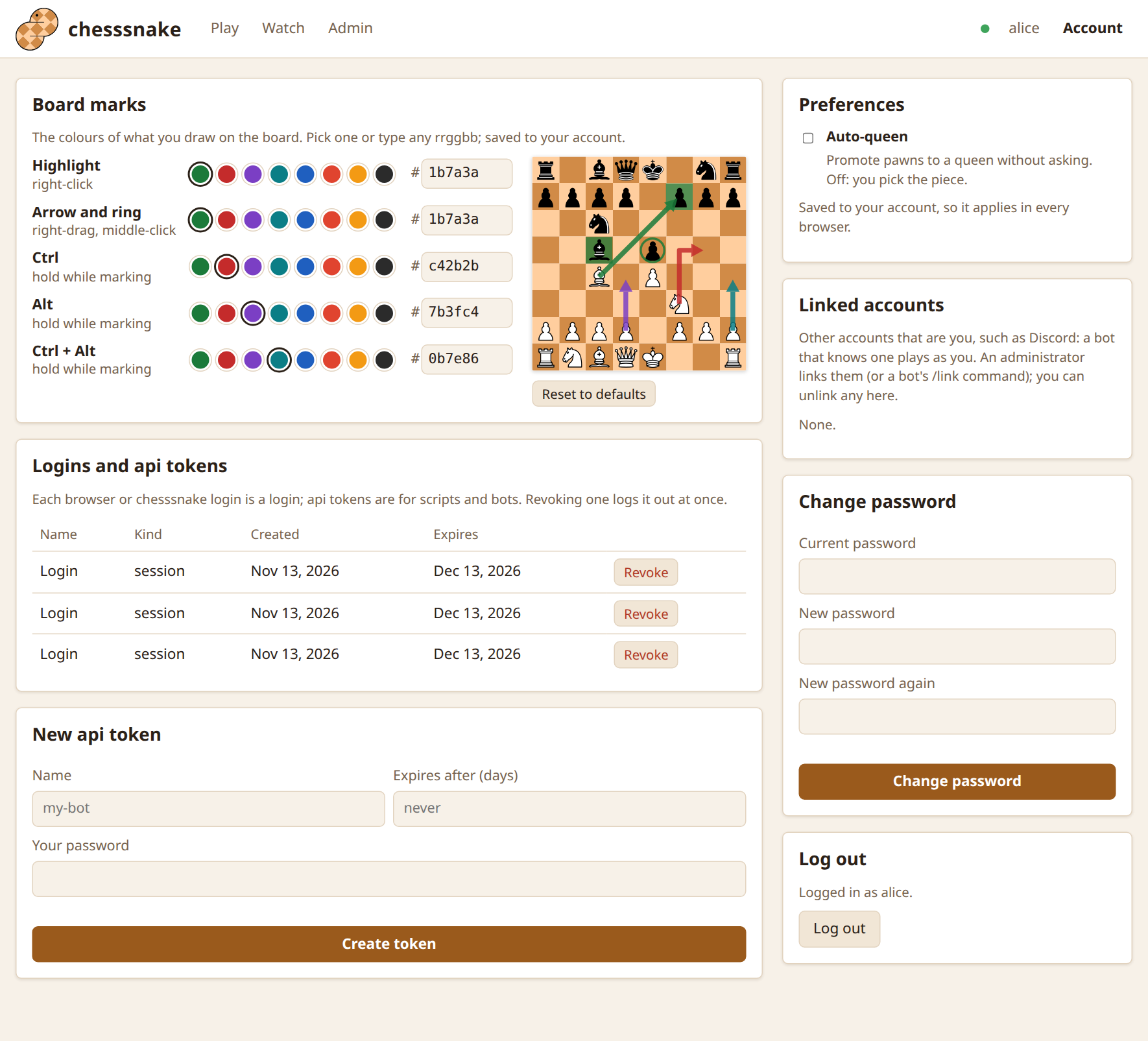
- Board marks: the colour of each kind of mark. Pick a preset or type any
rrggbb; the small board previews it. - Auto-queen: promote pawns to a queen without asking. Off by default.
- Linked accounts: other accounts that are you, such as Discord, so a bot knows who you are. An administrator or the bot links them; you can unlink any.
- Change password. This logs out your other browsers and terminals, and keeps your api tokens.
- Logins and api tokens: every place you are logged in. Revoke logs one out at once.
- New api token: a token for a script or bot to act as you. It is shown once, so copy it then. See Python client.
Preferences are saved to your account, so they follow you to every browser.
The dot beside your name
| Dot | Meaning |
|---|---|
| Green | Live: boards update the moment a move is made. |
| Grey | The server has live updates turned off. The site still works: a game checks for moves every 5 seconds, lists every 15. |
| Amber | The live connection dropped. The site checks periodically until it is back. |
Live updates are on by default. Whoever runs the server can turn them off: see Live updates.