
Your first game
A walk through from an empty server to a finished game. It assumes the server
from Install is running at http://localhost:8000 and you made
your admin account.
1. Make a second account
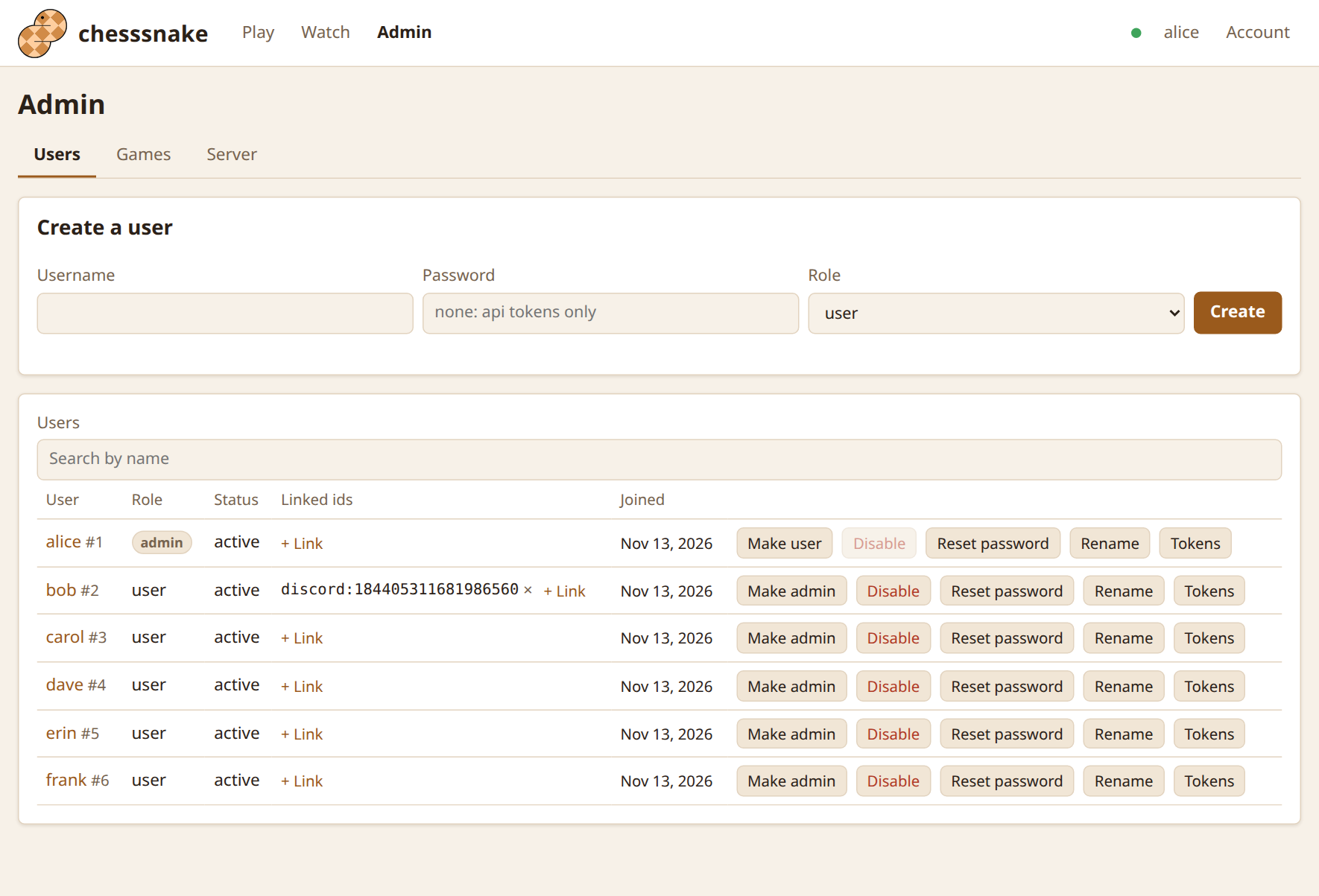
A game needs two players. Log in at http://localhost:8000/, open Admin,
and under Create a user make an account for your opponent (here, bob).
Or do it on the server’s machine:
docker compose exec chesssnake chesssnake user create bob
To let people sign themselves up instead, see Accounts.
2. Send a challenge
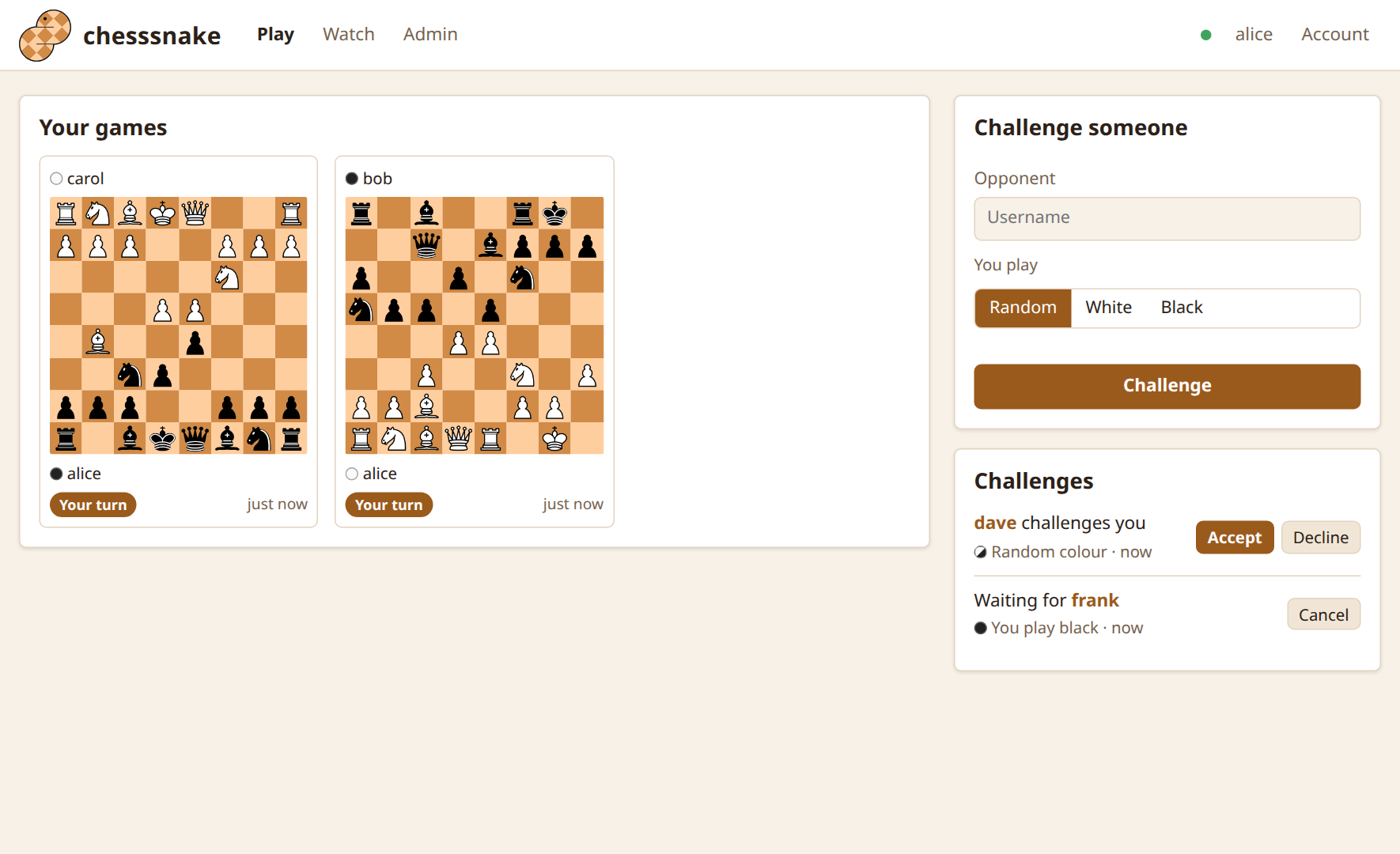
Games start with a challenge. On the Play page, type your opponent’s name under Challenge someone, pick a colour (or leave it random) and press Challenge.
3. Accept it
Your opponent logs in (another browser, or a private window) and presses Accept under Challenges. The game opens for them, and you get a notice with a link to it.
4. Play
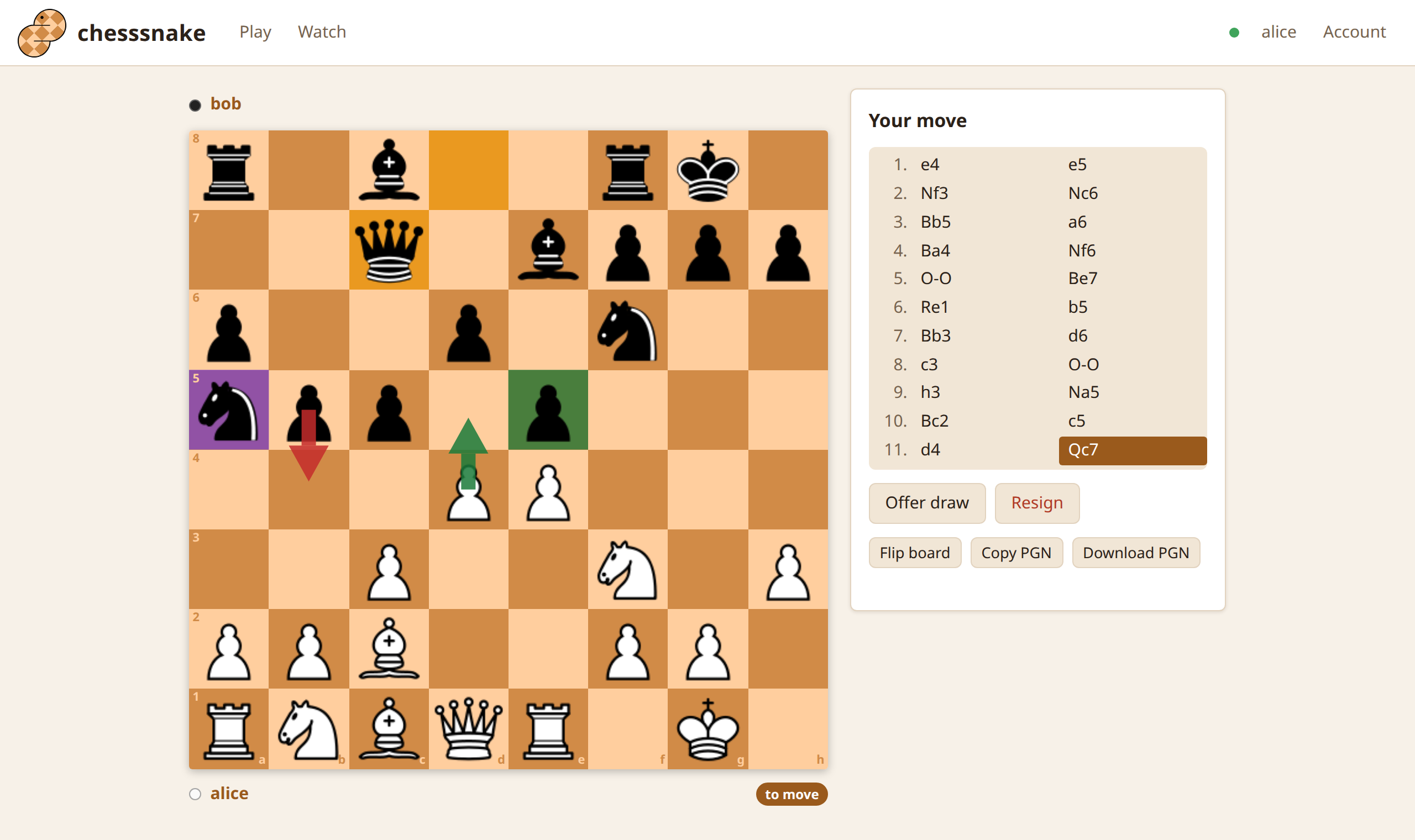
Click or drag a piece; the squares it can move to are marked. The other player sees each move as it is made. Offer draw and Resign are beside the board, and when the game is over Rematch sends a new challenge with the colours swapped.
The same thing in a terminal
Everything above also works without a browser, from any machine with
pip install 'chesssnake[client]':
export CHESSSNAKE__CLIENT__API_URL=http://localhost:8000   # which server
chesssnake login                 # once; the login is remembered
chesssnake challenge bob
and for bob:
export CHESSSNAKE__CLIENT__API_URL=http://localhost:8000
chesssnake login
chesssnake challenges            # lists the challenge and its id
chesssnake accept 1
chesssnake play --vs yourname
See In the terminal.
Next
- In the browser: everything the web UI can do.
- Accounts: roles, registration, api tokens.
- Hosting publicly: before anyone outside your network uses it.